Pixabay Integration in PlayCrossword: Add Free High-Quality Images Instantly
Published on: January 18, 2026
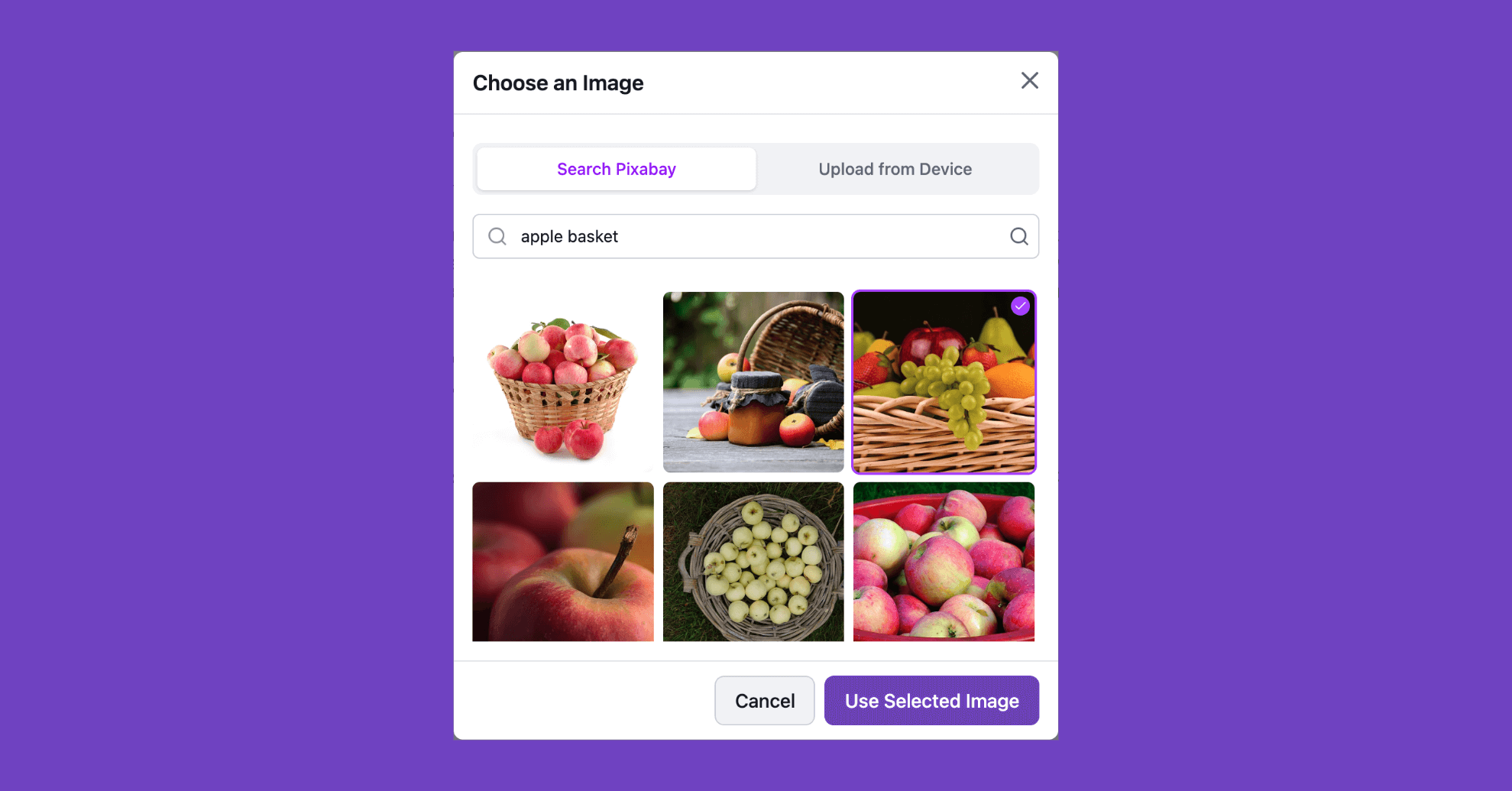
Creating visual crossword puzzles just got faster and easier. Pixabay is now fully integrated into the PlayCrossword creator.
No more switching tabs or downloading files. You can access millions of professional, royalty-free photos and illustrations directly in the PlayCrossword editor.
Why We Added This
Many creators, especially teachers building vocabulary games, spend more time hunting for images than actually creating puzzles.
Finding safe, high-quality, free-to-use images can be time-consuming. Our goal is to remove that friction so you can focus on making engaging educational content.
How It Works
Adding an image to your crossword thumbnail or a specific clue is seamless:
- Click on the image placeholder in the Creator.
- Select the Pixabay tab in the image picker.
- Type your search term (e.g., “volcano”, “DNA structure”, “ancient Rome”).
- Click the image you like.
The image is instantly imported into your puzzle.
Perfect for Visual Learning
This update is ideal for language teachers and early education.
Instead of long text clues like “A large fruit with a hard shell,” simply search for “coconut” and attach a clear, high-resolution photo. Visual learners will find your puzzles more engaging and accessible.
Safe and Royalty-Free
Copyright is always a concern for public resources. By pulling images directly from Pixabay, all content is royalty-free and safe to use. You get professional-quality visuals without licensing headaches.
Special thanks to Pixabay for providing access to millions of free, high-quality images.
Start Building Better Puzzles
This feature is available to everyone starting today. There are no limits on how many Pixabay images you can use in your crosswords.
We are excited to see the beautiful, image-rich puzzles you create.