Create Crossword Assignments in Google Classroom with PlayCrossword
Published on: September 7, 2026
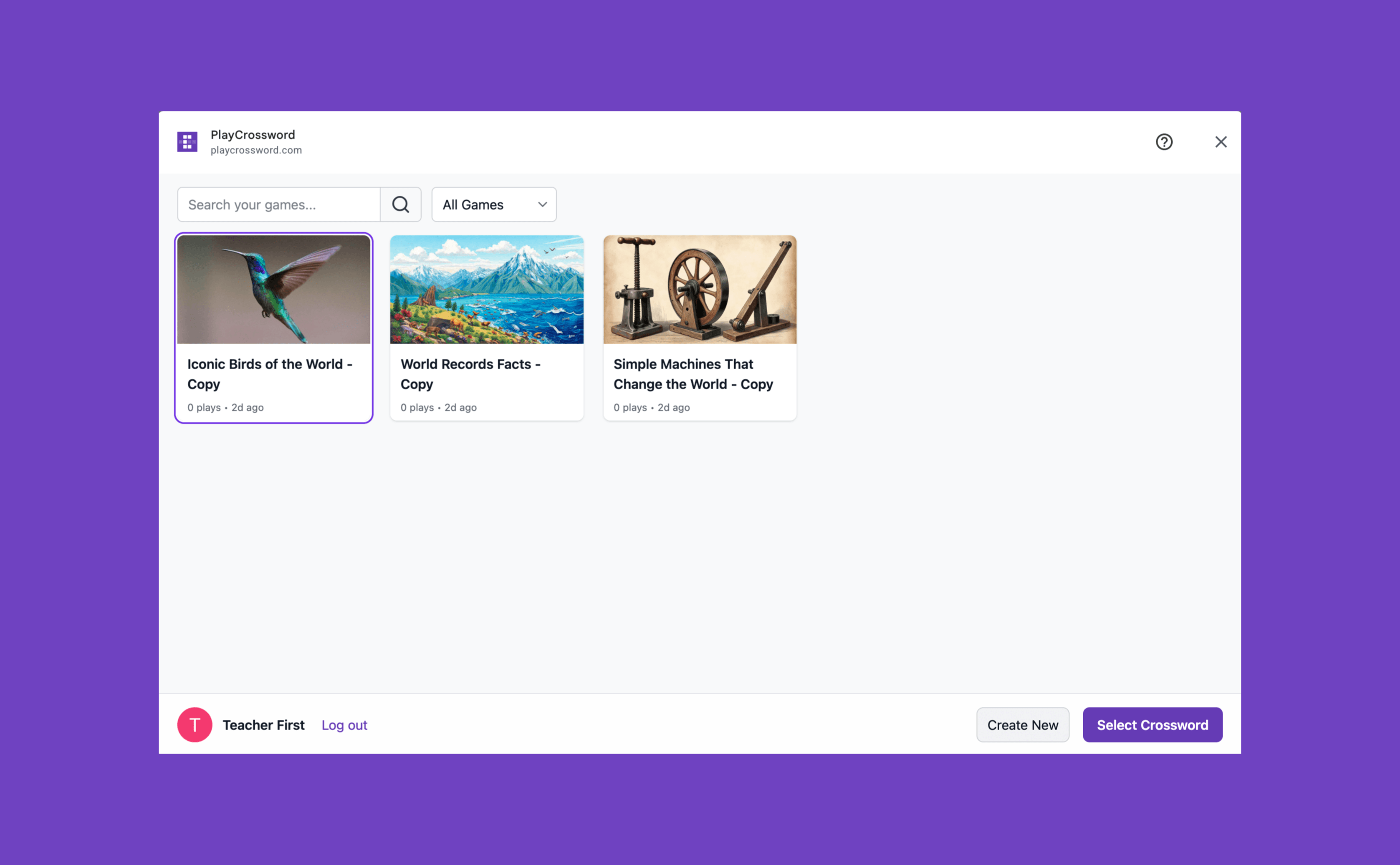
We’re excited to bring PlayCrossword to Google Classroom, making it easier for teachers to create interactive crossword assignments and share them directly with their students.
With the PlayCrossword Google Classroom add-on, teachers can create or choose a crossword, attach it to a Classroom assignment, and automatically grade student work.
There’s no separate purchase or add-on fee. You can use Google Classroom integration with your existing PlayCrossword plan.
Get PlayCrossword for Google Classroom
Create Crossword Assignments in Google Classroom
Creating a crossword assignment is simple.
Create a crossword from scratch, generate one with AI, or choose an existing puzzle from your PlayCrossword library. Then attach it to a Google Classroom assignment using the PlayCrossword add-on.
Students can open the assignment from Google Classroom and solve the crossword interactively.
Automatically Grade Student Work
The biggest advantage is that PlayCrossword can automatically grade the crossword assignment.
Once students complete the puzzle, their results are sent back through Google Classroom. Teachers don’t have to manually check every answer, making crossword puzzles practical for both learning and assessment.
You can use crossword assignments for:
- Vocabulary and spelling practice
- Science and history review
- Language learning
- Lesson reinforcement
- Homework
No Extra Cost for Google Classroom
The Google Classroom integration is included with PlayCrossword. Teachers don’t need to purchase a separate Classroom plan or pay an additional fee to use the integration.
Simply use PlayCrossword with your existing plan and connect it to Google Classroom.
Get Started
Ready to try a crossword assignment with your students?
Install PlayCrossword from Google Workspace Marketplace
Frequently Asked Questions
Can I use PlayCrossword with Google Classroom?
Yes. The PlayCrossword Google Classroom add-on lets teachers attach crossword puzzles to Classroom assignments.
Do I need to pay extra to use Google Classroom integration?
No. The Google Classroom integration is included with your existing PlayCrossword plan. There is no separate add-on fee.
Are crossword assignments automatically graded?
Yes. PlayCrossword checks student answers and sends the results back through Google Classroom.
Can I create my own crossword puzzles?
Yes. You can create your own puzzles, generate them with AI, or choose from existing PlayCrossword puzzles.